Setting due date reminders are a great way of keeping track of what tasks are important to get done today.
When a due date is selected, assignees will receive push notifications or e-mail reminders before the task is due, or at defined intervals.
By default the reminder is send 24 hours before a task is due, but this can be configured on Workspace, Template, or individual Task level to notify at a custom time before or after the due date. (see related Article)
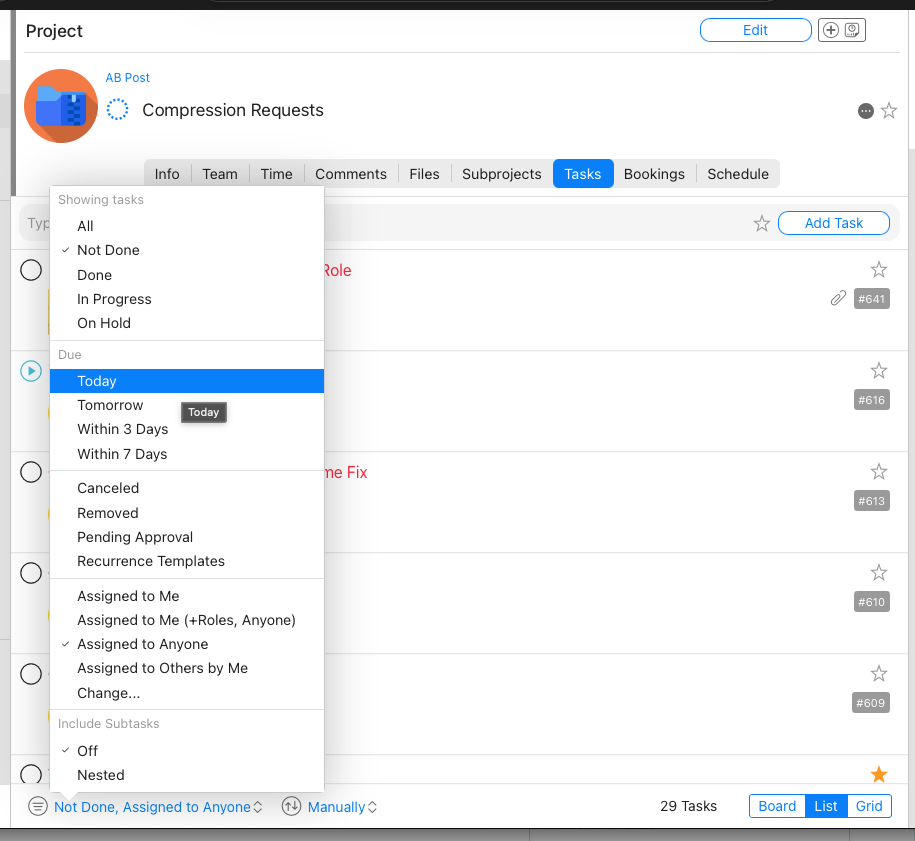
You can also filter by due date in your Tasks list to see which tasks are due today, tomorrow, and in the coming days
How to Set
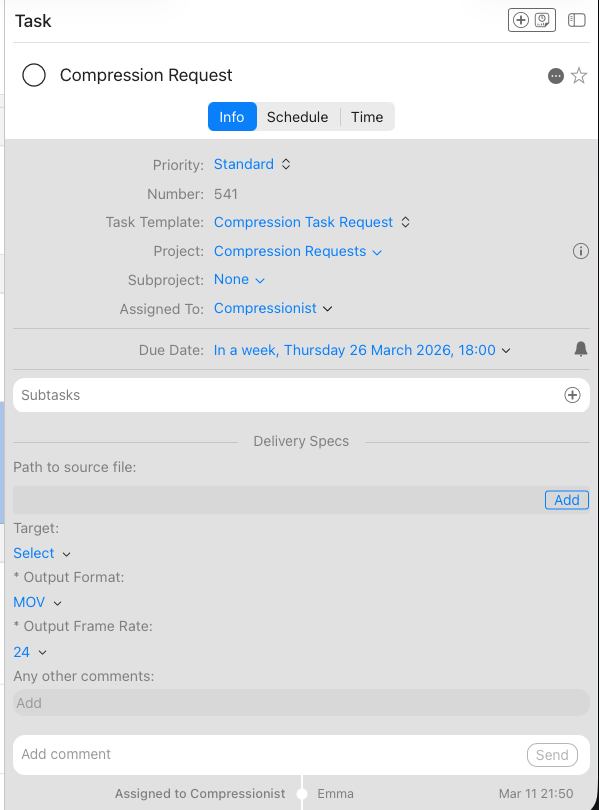
In Mac and Web select the task and update the Due date
The reminder interval can be set by clicking on the bell icon on the right of the date
To see tasks that are coming up soon
You can filter by “Due” Today, Tomorrow, in 3 Days and in 7 Days in any task list.
Was this article helpful?
That’s Great!
Thank you for your feedback
Sorry! We couldn't be helpful
Thank you for your feedback
Feedback sent
We appreciate your effort and will try to fix the article