How to Manage User Preferences
This guide walks you through the steps to update how your profile shows to others in cirkus, update your email address(es) , user profile picture, and access other user preferences such time display and personal task assignments
Step-by-step instructions
- Go to the User Preferences by clicking on your profile on the bottom of the left menu, and open the General Tab
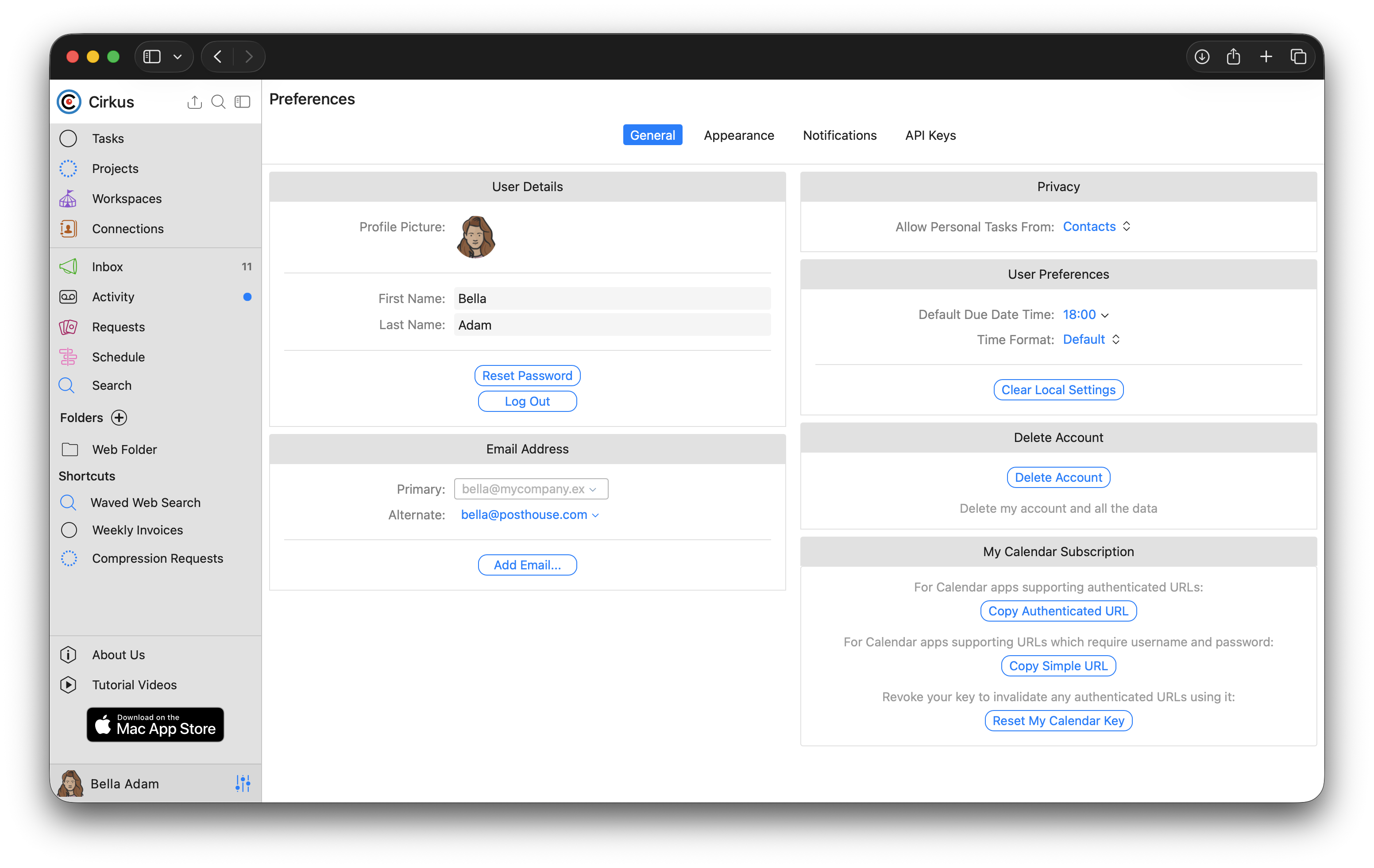
User Details
Here you can change your profile picture, update your name and reset your password.
Click on the user thumbnail to update the picture.
You can also Reset your password or Logout to end your session.Email Address
You can update and also add secondary email addresses which can be used to login to Cirkus, or change the email address you have registered.
To change your email address:
1. add the new email address as secondary, and verify it,
2. update the primary address to be the new one
3. remove the Alternative addressPrivacy
In this section you can decide who you can receive tasks from.
These are tasks outside of projects, so by default you can only receive them from your contactsUser Preferences (web only)
The Default Due Date Time: is the default time which shows in the selector when setting a Due Date
The Time Format defines how time is shown in your web application.
The Default behaviour is to try to use the time format of your system, but on some browsers this is not reliable.
If this is not working or you want to override it, you can select 24h or AM/PM here.
This means the Schedule and all timestamps will show in this formatDelete Account
Use this option to fully remove your account from our servers.
After clicking the button you will receive a confirmation email to complete the processMy Calendar Subscription
You can use these options to subscribe to all booking and tasks scheduled for you .
See linked article below for more information
Was this article helpful?
That’s Great!
Thank you for your feedback
Sorry! We couldn't be helpful
Thank you for your feedback
Feedback sent
We appreciate your effort and will try to fix the article